5 Good Slide Scanners for Every Budget: Best Picks for Your Precious Memories

If you are over a certain age (hey, boomers!) you very likely have slides in your collection. This article takes a look at good slide scanners available on Amazon.
This post may contain affiliate links, which means that I may receive a commission if you make a purchase using these links. As an Amazon Associate, I earn from qualifying purchases.
Being a boomer myself, I understand the significance of safeguarding those valuable family memories that have been captured on slides throughout the years. In fact, a substantial portion of my childhood memories exists in slide form! I’ve done the work for you and conducted thorough research on good slide scanners currently offered on Amazon. This article provides my insights on a selection of them, to assist you in finding the most suitable option that meets both your budget and time requirements.
Understanding Slide Scanner Specifications
Prior to delving into the evaluations of good slide scanners, it is crucial to understand certain essential specifications. Numerous slide and negative scanners available on Amazon, especially the less expensive ones, may emphasize their Megapixel (MP) metric. Nevertheless, this does not necessarily reflect their capability to scan slides for the best results. A more precise metric is Pixels Per Inch (PPI), which is influenced by both the camera’s quality and the quality of the light source.
Slides and negatives should be scanned at a minimum resolution of 4000 ppi, as they are quite small. It’s worth noting that higher resolution comes with a higher cost, so good slide scanners are going to be a little more expensive. Additionally, it’s important to recognize that lower-quality scans may require more time for post-processing, as slides and negatives often have hidden damage and dust that becomes apparent only after scanning. In other words, the less money you spend, the more time you will likely have to put into the project.
For instance, I examined a scanner with a resolution of 24 MP and discovered through various reviews that its resolution ranged from 1800 ppi to 3000 ppi. This could lead to a loss of detail that you may find unsatisfactory. Moreover, premium scanners offer additional features such as dust speck removal and color correction, saving you time and frustration in the long run.. Therefore, it is crucial to consider all your requirements before making a decision.
Top Picks for Good Slide Scanners
1. Plustek OpticFilm 8100
The Plustek OpticFilm 8100 offers a reliable choice in the mid-range category. It provides excellent image clarity at a resolution of 7200 dpi, enhancing the fine details of your vintage slides. The software is intuitive and comes equipped with useful functionalities such as dust removal and color restoration. However, it is worth noting that the scanning process is relatively slow, averaging around 1 minute per slide.

2. Plustek OpticFilm 8200i SE
Consider the Plustek OpticFilm 8200i SE for improved speed and resolution. With a scanning capability of up to 9600 dpi, it delivers exceptionally detailed scans. Additionally, it is equipped with an infrared channel that automatically detects and eliminates dust and scratches. The only downside is its higher cost.

3. Epson Perfection V600
Another option is the Epson Perfection V600 if you’re open to investing a little more. It offers outstanding 6400 dpi scans and comes with excellent image enhancement software. Additionally, it has the flexibility to handle film, slides, and photos. The only drawback is that it may be slightly slower compared to other options. Certain users, especially those running Windows 11, have experienced software issues. In such cases, it may be worth considering VueScan software as an alternative for this scanner.
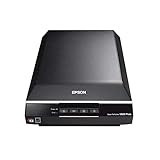
4. Epson Perfection V850 Pro
If you want the best, consider the Epson Perfection V850 Pro for top-notch slide scanning results. It boasts a 6400 dpi sensor and advanced technology to eliminate dust and scratches, ensuring your old slides appear rejuvenated. Additionally, it offers speedy batch scanning capabilities. Although it comes with a high price tag, it may be a valuable investment for those with extensive collections. In case you encounter software issues, VueScan is worth exploring.
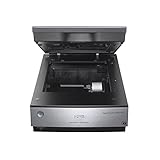
5. Plustek OpticFilm 135i
The Plustek OpticFilm 135i is a dedicated scanner designed specifically for 35mm slides and films. It offers high-quality 7200 dpi scans and includes software for color correction and restoration. Although it is more expensive than some all-in-one scanners, it may be the ideal choice if your primary focus is on slide scanning. According to one article I came across, the included software may not be excellent, so it could be beneficial to consider purchasing VueScan software for a smoother experience.

By exploring these options, it is possible to discover good slide scanners that align with both your financial limitations and specific requirements. This will guarantee the optimal preservation of your valuable memories with the highest quality achievable.
Other Considerations When Purchasing a Good Slide Scanner
Recently, Amazon has started providing payment options for more expensive products. In certain cases, these plans come without any interest charges. Make sure to explore this option if it helps to facilitate your purchase.
After completing your scanning project, you have the option to potentially sell it on online platforms like Craig’s List, eBay, or even through a garage sale. It is likely that you may not recover the entire amount you originally paid, but it is still a better option than receiving no compensation at all.
Outsourcing vs. Purchasing a Slide Scanner
Consider outsourcing the scanning of your slides instead. To provide a cost breakdown of digitizing your slides at Forever for comparison, figure the quantity of slides you possess and determine the most optimal allocation of your funds.
- The regular price at Forever works out to $1.20 per slide. But I always say never pay the full retail price at Forever. They often have sales, and they also have the Forever Club (kind of like the old Christmas Clubs that banks used to offer where you make a payment into an account each month and withdraw it when you’re ready to spend it. If you’re a Club Member at the time of purchase, they will give you an additional 5% off on top of any sales discount. You can also start and stop the Club membership at any time – no minimum enrollment period).
- Regular price plus 5% Forever Club discount works out to $1.14 per slide.
- 25% off works out to $0.90 per slide.
- 25% off plus 5% Club discount works out to $0.84 per slide
- 40% off works out to $0.72 per slide.
- 40% off plus 5% Club Discount works out to $0.66 per slide
If you decide to go this route, I advise signing up for Forever Club before purchasing a digitization box. Depending on the number of slides, you likely only need a small or medium regular box. One item, as Forever defines it, is 25 slides, so a small box has a credit built in for 50 slides.
But, you can put as many into the box as you can fit (25 per bag and you can use Ziplocs if they don’t send you enough bags). As long as you send the box back within 90 days (they’ll tell you the date), whatever discount you got on the box, they will also apply to the additional items, so if you plan to cancel your Club membership, don’t do it until you pay for the additional items.

How to View Your Slides Before Digitizing
When it comes to digitizing your old slides, whether you outsource the job or choose one of the good slide scanners, it’s essential to know what you have before committing to the process. This can save you time and money, ensuring that only the best and most meaningful slides are digitized. Here are several methods to view your slides ahead of time.
Light Table
A light table is a flat, illuminated surface that allows you to view slides clearly. Simply place your slides on the table, and the backlight will make the images visible. This method is particularly useful for quickly sorting through a large number of slides. Light tables come in various sizes and can be a great investment if you frequently work with slides or negatives.

Slide Viewer
Slide viewers are small, handheld devices designed specifically for viewing slides. They typically have a built-in light source and a magnifying lens, allowing you to see the details of each slide. Slide viewers are portable and easy to use, making them a convenient option for quickly reviewing your collection. Some advanced models even offer features like adjustable brightness and multiple viewing angles.

Using a Blank White Computer Screen
If you don’t have a light table or slide viewer, a blank white computer screen can serve as a makeshift light table. Open any browser (Chrome, Safari, Edge, etc.) on your computer and go to blank.org to get a completely blank white screen. Hold the slides up to the screen and the backlight from the screen will illuminate the slides, allowing you to see the images. This method is cost-effective and works well in a pinch, though it may not provide the same level of clarity as a dedicated light table or slide viewer.
By using these methods, you can efficiently sort through your slides and decide which ones are worth digitizing no matter if you outsource or pick one of the good slide scanners. This preliminary step ensures that you only invest in digitizing the best slides, preserving your most valuable memories in digital format.
I can Help You Decide
Whew, there’s a lot to consider when choosing among the good slide scanners! Let me know if you have any other questions as you weigh the pros and cons of these scanners. I’m happy to provide any additional insights to help you make the best choice for you when it comes to preserving your family memories. Just hit the Contact Button in the upper right or the pink chat button in the lower right. I’ll get back to you as soon as I can.
If you want to see what else Amazon sells that can help you wrangle order into your photo memory collection, check out my Amazon Deals page.
There are also more suggested products available on these pages: